
You’ve already built a strong presence on Google, so why not bring that trust to your Shopify storefront? Displaying your Google reviews directly on product or homepage sections can instantly boost credibility and nudge visitors toward making a purchase.
Why Google Reviews Matter for Shopify Stores
Google reviews are not just there to be good-looking; instead, they are powerful tools that trust and influence customers’ choices to a large extent. The following are the reasons why Google reviews are important.
Build Trust Instantly Through Social Proof
Google reviews offer the same reassurance as word-of-mouth when a new user visits your website. They tell the shoppers that good experiences have happened with your store and real people.
Just a few testimonials can effectively cut down the buyers’ uncertainty. Besides, the more positive feedback you give the buyers, the more they feel confident.
Guide Purchase Decisions in Real-Time
Reviews are often consulted by shoppers just before clicking “Add to cart.” Showing the good reviews from Google helps them in making the final decision without any hesitation.
It’s like a nudge at the ideal time, providing one last bit of assurance that the customer has made the right choice, whether to buy or not.
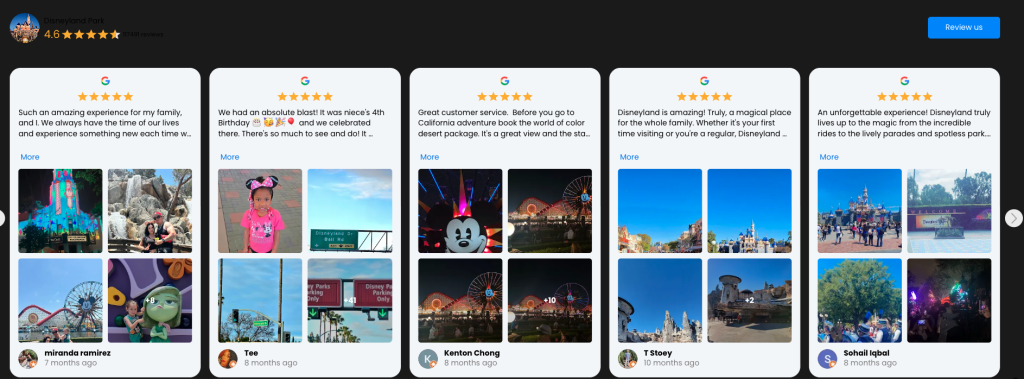
Keep Visitors Engaged With Real Stories
Google reviews that are displayed attract the readers, and those who scroll down and are willing to be explored. In this way, the interaction will result in longer session times for your website.
While people are reading the reviews, they are also getting acquainted with your products, promotions, and brand character.
Strengthen Brand Credibility Effortlessly
Nice text can be written by anybody, but it is impossible to create fake customer reviews. By making public the reviews from real consumers, you give your brand a character that is open and trustworthy.
Gradually, a collection of truthful reviews let out a mighty voice: your shop not only sells but also maintains quality and service consistently.
Make Your Storefront Visually Dynamic
An appropriately used widget displaying the reviews can create a very vibrant and lively image of your store in seconds. It brings movement, color, and genuineness to an otherwise stagnant product page.
This visual lift draws attention, and often makes visitors pause just long enough to get interested in what you’re selling.
How to Add Google Reviews to Shopify?
Adding Google reviews to your Shopify store can be done in two main ways: the manual route or using a dedicated app. Each method comes with its pros and trade-offs, depending on how much control and automation you’re looking for.
Method 1: Manual Integration
If you’re comfortable editing code or want a lightweight solution, you can manually embed Google reviews into your Shopify store. This approach typically involves copying a Google review widget or using a custom embed.
Step 1: Go to your Google Business profile
Search your business name on Google and scroll to the “Reviews” section. From there, you can read and select the reviews you’d like to showcase.
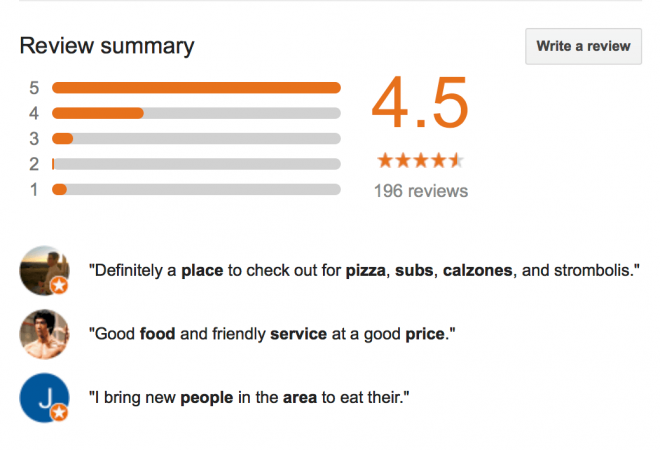
Step 2: Copy the review text
Manually copy the review content, along with the reviewer’s name and star rating (optional). You can format it however you’d like, plain text or styled with basic HTML.
Step 3: Paste into your Shopify store
In Shopify, go to Online Store > Pages (or any custom section), and open the content editor where you want to display the review. Paste the text directly into the page content, or edit the theme code if you want it embedded on multiple pages.
Method 2: Use a Shopify App (Recommended)
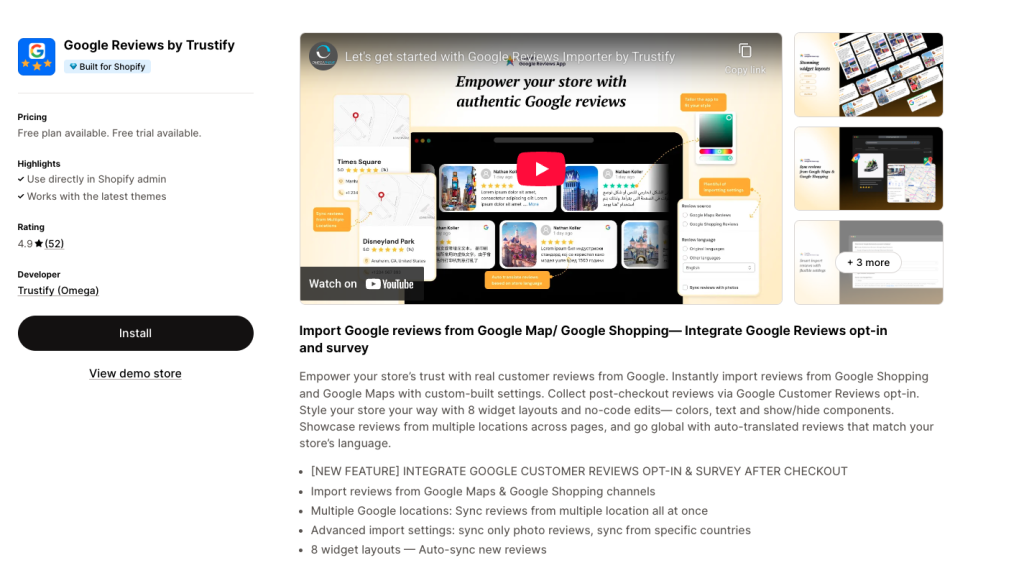
For most merchants, the easiest and most reliable solution is to use a Google reviews app from the Shopify App Store. These apps are designed to connect directly to your Google Business account and sync reviews automatically, saving time and improving user experience.
For the smoothest setup, I highly recommend the Google Reviews Importer app. It handles everything from syncing to styling, and works right out of the box.
Key features:
- One-click import from multiple Google locations
- Supports photo-only reviews and country-based filters
- Auto-syncs new reviews, no manual updates needed
- 8 customizable display styles (carousel, list, grid, etc.)
- Built-in integration with Google Customer Reviews opt-in after checkout
To make things easier, here’s a side-by-side comparison of the manual method vs using a Shopify app:
| Feature | Manual Integration | Using a Shopify App (Recommended) |
|---|---|---|
| Ease of Setup | Requires theme edits and custom HTML | No coding: install, connect, and go |
| Customization & Design | Limited widget styling | 8+ layouts, full control over look & feel |
| Review Sync | ❌ Manual updates required | ✅ Auto-syncs new reviews, always up to date |
| Advanced Options | Basic embed only | Filter by photo, location, language, even post-checkout survey |
| Best For | Developers or minimal setups | Everyone: fast, scalable, and looks great |
Tips to Maximize Your Imported Reviews
Once Google reviews are up on your Shopify store, it will be time to use the strategy. You can easily, with a few simple tweaks, transform reviews into trust signals of such high performance that they will ultimately lead to conversion.
Highlight the Best Reviews on Key Pages
Do not solely depend on the standard review disposition. Instead, pick the most convincing reviews, the ones with details, feelings, or particular results, and position them where the most traffic comes from: homepage, product pages, or landing pages.
Consequently, you are directing attention to strong proof just at the moment when the shoppers are making their decisions. It gives them a push forward, along with the assurance that they do not have to be persuaded further.
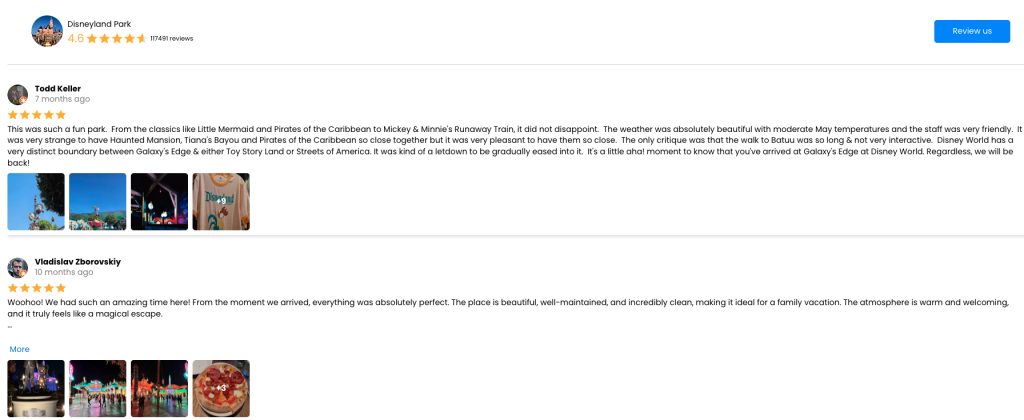
Use Photo Reviews to Add Visual Impact
Text reviews are helpful, but nothing compares to real-life customer images. Let photo reviews be part of the call-to-action areas like “Add to Cart” or “Buy Now” buttons for maximum effectiveness.
Thus, these images create a more authentic and relatable impression of your store, and they also help the customers to visualize the product in their hands, which subsequently increases the probability of purchasing.
Match the Widget Style to Your Store Design
Reviews must appear as a natural part of your site, not a last-minute addition. Employ apps that offer no-code customization so you can adjust layout, font, and colors to be in line with your store’s branding.
In this way, your reviews become an inseparable part of your design, melting into the shopping experience rather than disturbing it, which helps keep users engaged longer.
Keep Reviews Fresh With Auto-Sync
The shoppers are aware of the dates on the reviews. If all of them are months back, it conveys the wrong impression, like your store has not satisfied a customer for a long time. So, the use of auto-sync is critical.
By this, you make it certain that the new reviews come up on the site automatically, which indicates that your business is always at the acquisition stage.
Localize for a Global Audience
If you sell across different countries, make your reviews feel personal by displaying them in your shoppers’ preferred language. Some apps can auto-translate reviews to match your store’s language settings.
As a bonus, this removes language barriers and helps international visitors connect emotionally with your brand, even before they read a product description.
Frequently Asked Questions about Shopify Google Reviews
Can I respond to Google reviews directly from my Shopify dashboard?
No, you can’t reply to Google reviews from within Shopify or review apps. If you want to respond, you’ll need to log in to your Google Business Profile. However, review display apps can still showcase your responses on the storefront if they’re already published on Google.
Will imported Google reviews slow down my Shopify store?
Not if you use a well-optimized app. Most review apps load reviews asynchronously (after the page finishes loading), so they won’t affect your site speed significantly. Still, it’s a good idea to test your performance after installing any new app.
Can I choose which Google reviews to display on my store?
Yes. Most review importer apps let you filter reviews by star rating, keywords, language, or even countries. Some also allow manual curation, so you can hide short, unhelpful reviews and highlight stronger ones.
Are Google reviews allowed under Shopify’s review policies?
Yes. Google reviews are public and fall under user-generated content. Just make sure the reviews are legitimate and relevant to your store or products. Using a trusted app ensures proper integration without violating Shopify’s guidelines.
Wrap up
Adding Shopify Google reviews isn’t just about filling space on your product pages; it’s about building real trust with real customers. Whether you’re a new brand trying to gain credibility or a growing store looking to boost conversions, showcasing authentic feedback can make a huge difference.
By choosing the right method, especially a powerful app that automates the process, you turn your customer voices into one of your strongest marketing tools. So don’t let those glowing reviews sit hidden on Google. Bring them to life on your storefront and let your reputation speak for itself.