
Welcome to our Knowledge Base
How to add Dynamic carousel widget to Shopify theme with Trustify
1-How to embed the widget on Theme
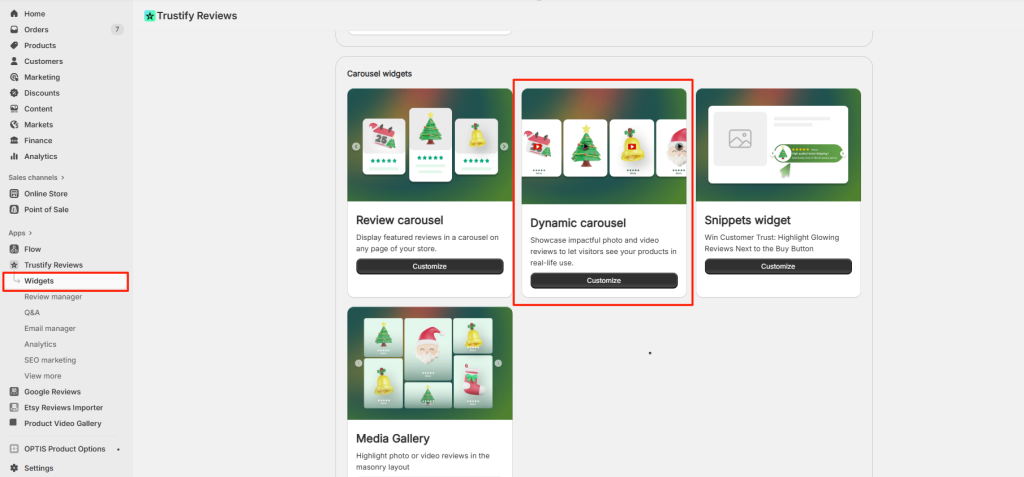
- Open the “Widgets” page → Scroll down and open the “Dynamic Carousel” section.
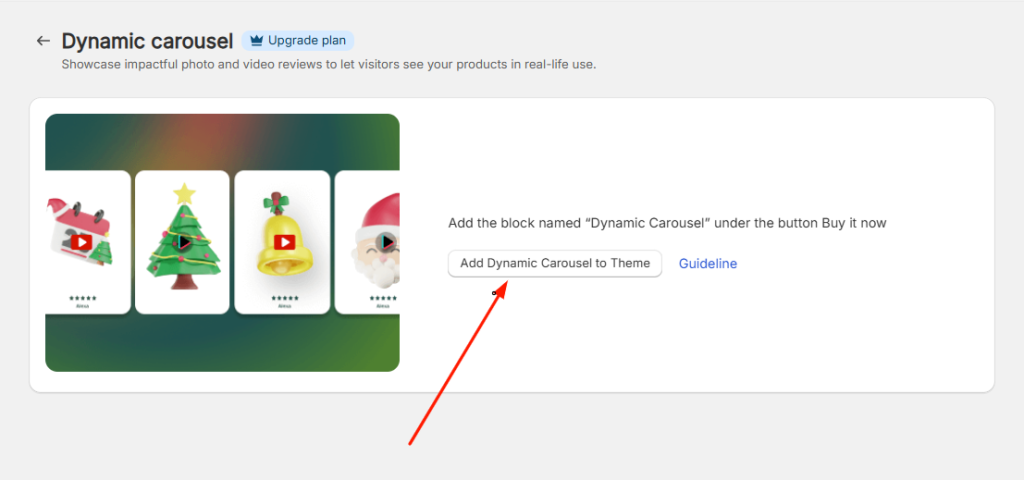
- Click the “Add Dynamic Carousel to Theme” button to be redirected to your store’s Theme Editor.
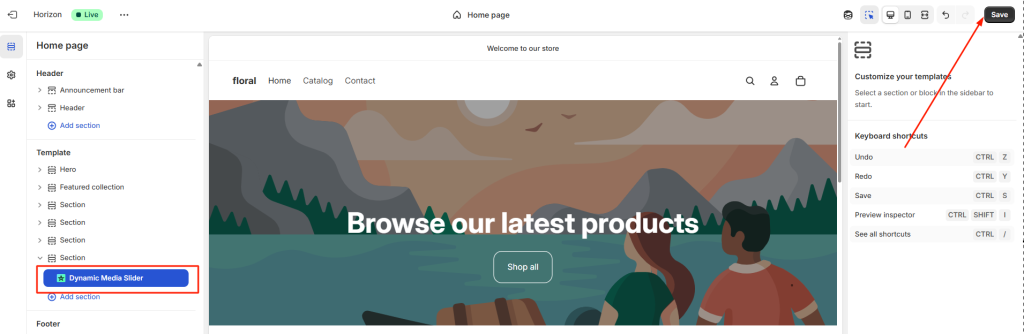
- Add the section named “Dynamic Media Slider”, then click the Save button.
2- Customize Widget Settings
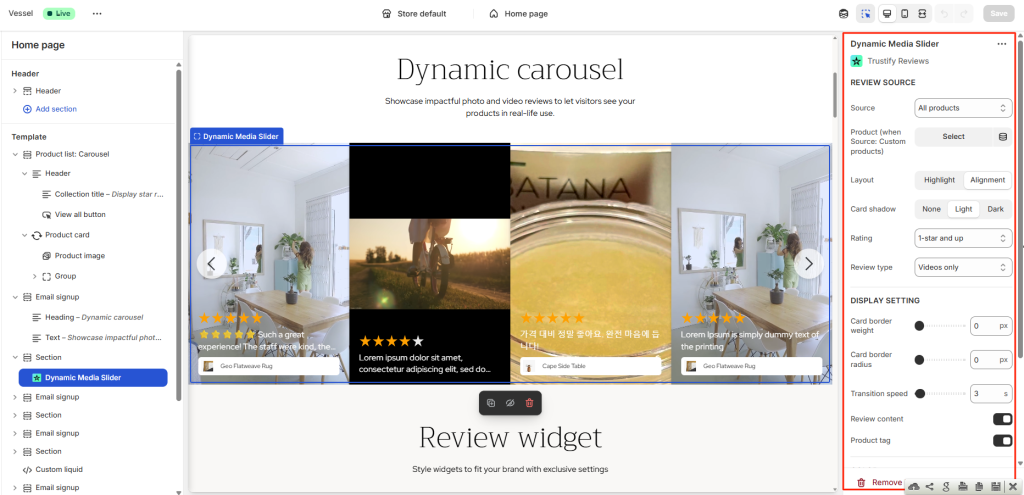
If you want to configure the app with the app themes, please get in touch with us via live chat or support email [email protected]. Our team will access you instantly for customizing for you.